

Close Menu

    Subscribe to Updates

    Get the latest news information from worldwide businesses.

    What's Hot

    Google’s Gemini Omni turns images, audio, and text into video — and that’s just the start

    May 20, 2026

    Southwest Airlines opens first overseas innovation centre in Hyderabad, to hire 1,000

    May 20, 2026

    UN cuts India’s 2026 GDP forecast to 6.4 pc, still among fastest-growing economies

    May 20, 2026
    Facebook Instagram YouTube LinkedIn X (Twitter)
    Trending
    • Google’s Gemini Omni turns images, audio, and text into video — and that’s just the start
    • Southwest Airlines opens first overseas innovation centre in Hyderabad, to hire 1,000
    • UN cuts India’s 2026 GDP forecast to 6.4 pc, still among fastest-growing economies
    • British couple on new hunger strike in Iranian jail, family say
    • TVK’s unity pitch amid alliance strain over AIADMK rebels
    • Man caught on camera firing shotgun at door before alleged SC murder: report
    • CBSE Class 12th scanned answer-book link to be active by 2 pm today: Board issues fresh circular | Education News
    • Genshin Impact 6.6 (Luna VII) codes
    Newspublicly
    • About Us
    • Advertise & Partner with us
    • Pitch Your Story
    • Contact Us
    Facebook Instagram LinkedIn X (Twitter)
    Subscribe
    • Home
    • World News
      • Asia
      • India
      • USA
      • UK & Europe
      • Middle East
    • Economy & Business
      • Global Economy
      • Corporate & Industry
      • Finance & Markets
      • Policy & Trade
    • Technology
      • Gadgets & Devices
      • Software & Apps
      • AI & Machine Learning
      • Robotics & Automation
    • Health & Medicine
      • Fitness & Nutrition
      • Research & Innovation
      • Disease & Treatment
      • Doctors, Clinics & Patient Care
    • Travel & Tourism
    • Automobile
      • Electric & Hybrid Vehicles
      • Auto Industry Insights
    • Sports
    • More
      • Education
      • Real Estate
      • Environment & Climate
      • Space & Astronomy
      • War & Conflicts
    Newspublicly
    Home»Sports»Genshin Impact 6.6 (Luna VII) codes
    Sports

    Genshin Impact 6.6 (Luna VII) codes

    AdminBy AdminMay 20, 2026No Comments3 Mins Read0 Views
    Share
    Facebook Twitter LinkedIn Copy Link WhatsApp


    close

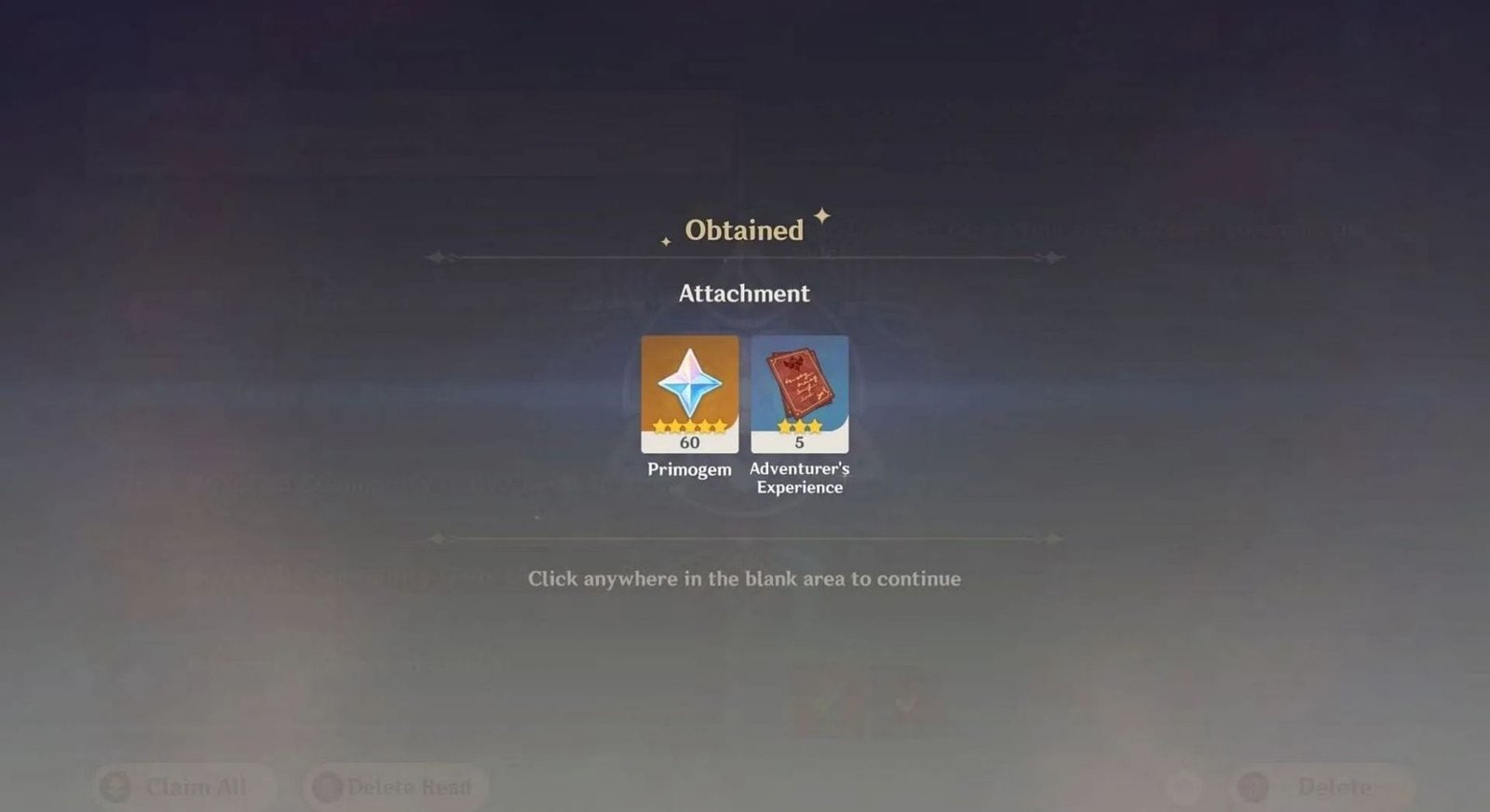
    The Genshin Impact Luna VII update has finally been released, and there are several codes you can redeem to obtain in-game rewards, including Primogems, Adventurer’s Experience, Hero’s Wit, Mora, and some dishes. Codes usually have a short validity period, so it’s best to redeem them as early as possible.

    This article lists all the active codes and their corresponding rewards in Genshin Impact Luna VII. Beginners can also find a simple guide on how to redeem the codes.


    All active redeem codes in Genshin Impact 6.6 (Luna VII)

    Redemption code rewards (Image via HoYoverse)
    Redemption code rewards (Image via HoYoverse)

    Listed below are all the active codes in version Luna VII:

    • OHOHONICOLE: Primogem x30, Mora ×20,000, Tattered Warrant ×5
    • MageNicolesPuzzle: Primogem x30, Midsommar Torte ×1, Fruit Tandem Turnovers ×1, Chenyu Adeptea ×5
    • PFY1S40I88T9: Primogem x60, Adventurer’s Experience ×5
    • PSCA8NL4ZSPD: Primogem ×60, Adventurer’s Experience ×5
    • GENSHINGIFT: Primogems x50, Hero’s Wit x3

    GENSHINGIFT is one of the oldest codes in the game, so most players might’ve already redeemed it unless they’re new to the game. OHOHONICOLE and MageNicolesPuzzle are for Nicole’s release, and PFY1S40I88T9 is likely for the newest game update.

    Also read: Version 6.6 (Luna VII) Primogems count and total pulls leaked


    How to redeem codes in Genshin Impact

    You can redeem a code in two ways. The first is to use the in-game feature in the Settings, or go to the game’s official website.

    Redeem codes in the game

    Use in-game Settings to redeem the code (Image via HoYoverse)
    Use in-game Settings to redeem the code (Image via HoYoverse)

    Here’s a step-by-step guide on how to redeem a code in the game using the Settings:

    • Open Paimon Menu and click the gear icon to access Settings.
    • Go to Accounts and click Redeem Now
    • Enter the valid code and click the Exchange button.

    Once you’ve redeemed a code, clear the box and enter the next code. Next, you can check your in-game mail to collect the rewards.

    Also read: Genshin Impact 6.6 Luna VII update patch notes: New characters, events, and more


    Redeem codes on the official website

    Redeem the code on the official website (Image via HoYoverse)
    Redeem the code on the official website (Image via HoYoverse)

    To redeem the code on the official website, follow these steps:

    • Click here to go to the game’s official website.
    • Log in using your game account info.
    • Select the server and enter the code.
    • Click Redeem.

    You can collect the rewards from the mailbox next time you log into the game.


    Follow Sportskeeda for more Genshin Impact updates and guides.