

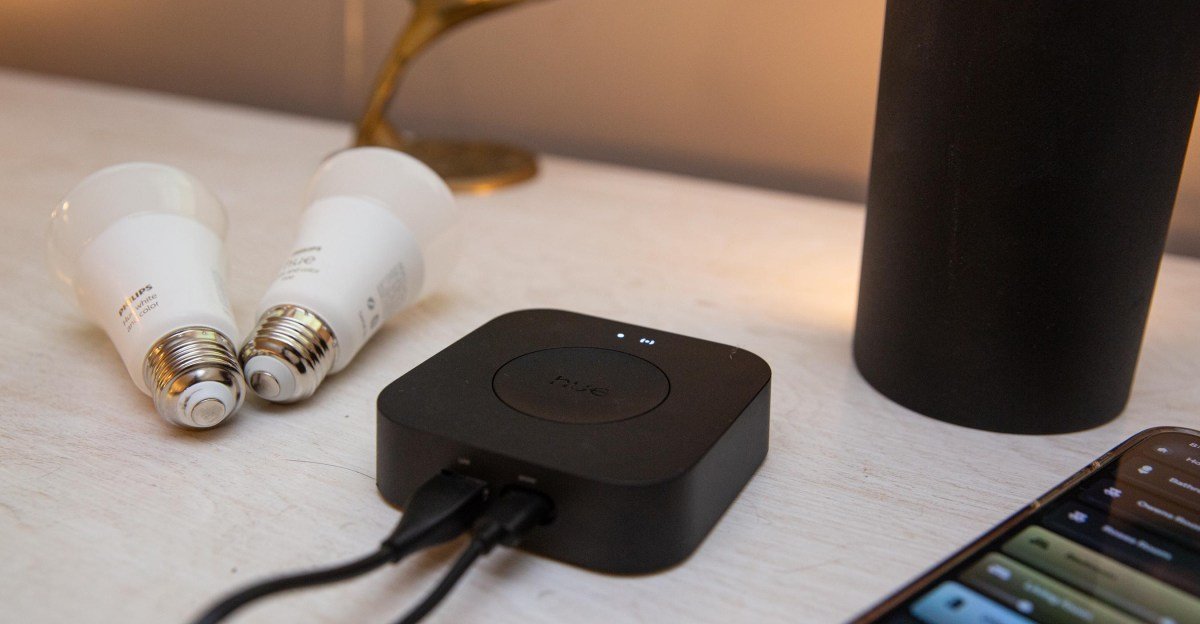
I’ve been a fan of Philips Hue smart lights since the early days. It’s one of the few staples in my ever-changing smart home. However, when the Bridge Pro launched late last year, it wasn’t immediately obvious why I should upgrade. The signature feature, MotionAware — which turns your lights into motion sensors — is neat, but I already have motion sensors. While I run two of Hue’s standard bridges to accommodate all my lights and accessories, I’m not at a point where I need the Pro’s higher device capacity. I like the idea of faster response times thanks to the advanced processing power, but that wasn’t quite enough.
Then in April, SpatialAware arrived. This maps the location of lights in a room to distribute the colors and tones of Hue’s lighting scenes across them more intelligently. Suddenly, my existing smart lights felt new again. While MotionAware was the headline feature when the Pro launched, it’s SpatialAware that finally sold me on upgrading.


$99
The Good
- SpatialAware is genuinely transformative
- MotionAware works out of the box without additional hardware
- Supports more than 150 lights
- Faster, more capable, and more future-proof
The Bad
- Expensive
- MotionAware can be slow and doesn’t work for every room layout
- No weekend settings for motion detection
- SpatialAware is only on some scenes and isn’t compatible with zones
You don’t need a bridge to control a Hue light, but using one unlocks more advanced features, including dynamic lighting. The Bridge Pro, which launched last September, is faster and more powerful than Hue’s standard bridge. Its quad-core processor and 1GB of RAM support speedier response times for connected devices, along with MotionAware and SpatialAware, two features that only work on the Pro.
If you’re already invested in Hue’s ecosystem, upgrading to the $140 Bridge Pro can be meaningful. It lets you add up to four MotionAware zones, which could replace the need to spend $49 a pop on Hue’s standalone motion sensors. It can handle more than 150 lights and 50 accessories — three times the standard bridge’s limit — which is handy if you’re reaching the limit in your current setup. And it promises to be up to five times faster. The challenge is the price, particularly in the US, where it costs 40 percent more than elsewhere (it’s £89.99 in the UK/EU).
While the interoperability standard Matter makes it easier to mix and match smart light brands, there are still some good reasons to stick with a single brand. Proprietary features like dynamic lighting, entertainment syncing, and now MotionAware and SpatialAware for Hue, can’t be used when you combine products from multiple manufacturers.
Still, the standard bridge delivers much of the same experience for less money. When the Pro was $98, it was an easier decision (and you can still find it at this price — for now), but at $140, it gets trickier. Here’s how the Bridge Pro’s headline features performed in my home.
MotionAware detects motion by sensing disruptions in Zigbee radio signals between Hue devices. In the app, it works like Hue’s standalone motion sensors, but it has specific requirements — and if you need to buy new hardware to meet them, it might be easier to buy a motion sensor.
The big requirement is three to four Hue lights in a room, and they have to be powered, so my Hue Table lamp in the bedroom was a no-go. I had to add an extra powered lamp to test it there. The bulbs also can’t be in a straight line, so my bathroom, which has a single vanity light with four Hue bulbs, was out of the picture.

With the right lights in place, the app walks you through leaving the room for a few seconds to calibrate, then lets you choose what happens when motion is detected: Turn the lights on and off, group with other sensors to control them, or send alerts. The last one is part of Hue Secure, Hue’s security system, and costs $1 a month or $10 a year. For this review, I focused on the free feature that controls the lights.
As with Hue’s motion sensors, when a MotionAware zone detects motion, you can choose to trigger different scenes or have the lights turn on to whatever setting they were last on. You can also have them turn off after a period without motion.
I set up MotionAware zones in the most-used areas of my home where I could install enough Hue lights: my bedroom, mudroom/laundry room, living room, and my daughter’s room. Within a day, I nixed three of those.
The bedrooms were a nonstarter, as there is no weekend option in the app. I shut it off after the first Saturday when the lights turned on at 6AM because I rolled over in bed. Hue’s hardware motion sensors also don’t have weekend settings, but there are workarounds — including adding them to other platforms that support weekend automations. Third-party support for MotionAware zones is currently sparse, but includes Home Assistant and the paid app iConnectHue.
1/4
In the mudroom/laundry room area, I had more success. The lights turned on reliably, but only once I was halfway down the hall. This was too late if I was passing through, but okay if I was doing something in the area. The layout here was also an issue; although I have four lights, they aren’t in ideal spots and are all on the ceiling. A light nearer each entrance would turn it on faster, but that isn’t possible in those rooms.
I also tried MotionAware in my office, setting up two lamps and one ceiling light. It was great at turning on the lights as I approached my desk, but because it’s motion-sensing rather than presence-sensing, it kept shutting them off while I was working. For something like an office, newer, more accurate mmWave presence sensing is a better solution, though Hue doesn’t offer it. I also had to add an extra motion sensor to catch one corner of the room. This had the advantage of bringing the sensor’s physical light sensor into the mix but emphasizes that MotionAware isn’t always a stand-alone solution.
I found MotionAware worked best in my living room, a large, open-plan area that’s always been a challenge to light. I dislike overhead lighting, so I set up a combination of ambient and task lights. In this space, I don’t need the lights to turn on instantly, and I actually like them to fade gently off if I’m sitting still for a while. Paired with SpatialAware, the lights in the room now feel appropriate and welcoming throughout the day.
Aside from the living room, I don’t see any reason to replace my motion sensors with MotionAware. It’s slower and less reliable, and it suffers from a failure point Hue users will be all too familiar with: If someone turns off the light at the switch, the feature won’t work.
But for new users, MotionAware makes more sense. It’s easy to set up, as it’s built into your bulb/bridge combo; no need to buy little white boxes to stick around the house that need their batteries replaced periodically.
It’s SpatialAware, the Bridge Pro’s other flagship feature, that is worth the upgrade if you’re an existing Hue user. Using the Bridge Pro’s advanced processing power and your phone’s AR capabilities, the Hue app can map the lights in a room and determine the best way to distribute the scene’s colors and effects across them. When I saw this in action at CES, I was impressed. While I wasn’t able to re-create anything quite as good as the hotel room demo in my own home, my lighting is noticeably better than before.


In the past, I rarely used Hue scenes outside the core scenes like read and energize, which just use tunable white lighting (and for those, you only need Hue’s white ambient bulbs, not its more expensive full-color ones). I just don’t find multicolored lighting all that compelling indoors, and when I’ve tried Hue’s more colorful scenes, I’ve been put off by one bulb being red or purple and another being green or orange. But with SpatialAware, I’ve found the scenes fit much better in my space, more like they were designed for it. Many made my living room — where I’ve got the largest selection of lights — a significantly prettier space.
For example, without SpatialAware, selecting a scene such as Woodland Toadstool would result in a weird display where one lamp was glowing red, another yellow, and the light strip was all orange. With SpatialAware, the color distribution across the bulbs is subtler, and the gradient lighting in my setup (two Wall Washers) provides the stronger pops of color in a more elegant way. The overall effect is more cohesive and natural. I suspect that if I had more gradient lights, it would be even better.
1/5
Some scenes didn’t show much difference, but most were noticeably better, to the point where I added a couple to my MotionAware zones, so they come on when motion is detected at certain times of day. My husband came home one night and commented on how nice the living room looked, and the only thing I’d changed was the lighting.
There’s room for improvement. Only some scenes have been updated to support SpatialAware, and the feature doesn’t work with zones — groups that can include lights in different rooms, such as Downstairs or Night Lights. So, if I want the same scene in my mudroom and living room, which are part of my downstairs zone in the Hue app, I have to set them both individually. And as mentioned, the effect is best in rooms with a lot of lights, in particular gradient lights that can display multiple colors at once. All of this gets expensive quickly.

I’ve recommended Hue for years for its high-quality lighting, rock-solid reliability, breadth of products, and strong track record. Other brands have cheaper bulbs and brighter colors, but most have less range, none dim as well, and Wi-Fi bulbs aren’t as reliable as a Zigbee mesh.
If you’re looking for super-bright colors and flashier RGB scenes, Govee, Nanoleaf, or Lifx may better fit your needs for less money. But for dependable everyday lighting, Hue has been and remains the gold standard. And the Bridge Pro is the first upgrade that’s really changed how I use Hue lights — SpatialAware took color-changing scenes from a novelty into a feature I prefer and now use every day.
For me, that’s the reason to buy the Bridge Pro, and if you’re an existing Hue user with a house full of lights, I strongly recommend it. But if you’re just starting out with Hue, the standard bridge remains a better value, offering access to all the core features for under $70. Unless you’re planning to buy a bunch of lights up front, you won’t see enough benefit from the Pro’s headline features to justify the extra cost.
Photos and video by Jennifer Pattison Tuohy / The Verge